如何ssh至Cloud Server(GCP)?
前言
Linux & Unix系統大多都是效能非常強的remote server(遠端伺服器),且提供非常多user使用,除了有些可以提供使用瀏覽器進行設定,但通常會使用ssh進行操作(總不可能叫我去南美洲的機房操作吧!? 😂😂),而使用ssh其實也不會太困難。
Secure Shell, ssh
在對稱式加密(Symmetric-Key Algorithm)中,我們提到若encryption與decryption時的key是同一把,則為Symmetric-Key Algorithm。而ssh是使用Asymmetric cryptography(非對稱式加密),也就是encryption與decryption時的key並不一樣。
而ssh為了在廣大無邊的網際網路中建立安全的通道,通常會使用複查的演算法計算public key(公開金鑰)與secure key(私有金鑰),以前是使用RSA演算法,但隨著硬體計算力增加,目前使用RSA彥算法計算出的key長度需2048bits才稱得上安全。
而在OpenSSH 6.5版本後已支援edd25519演算法,此演算法是基於橢圓曲線上的離散對數(看名字就覺得解到海枯石爛🌊🌊🪨🪨)作為加密方式,edd25519演算法計算出的key長度僅為256bits(是不是短了很多?🤣),以現在硬體的計算力已足夠安全。而目前的OpenSSH 9.6也是使用此演算法做為預設。
安裝ssh
通常比輕量的Linux image都沒有安裝ssh,而如果你跟我一樣是mac OS則已經安裝好了~
ssh套件區分openssh-server與openssh-client,而安裝ssh表示兩個均安裝。
1 | sudo apt-get update |
安裝好後,可以使用
ssh your_username@remote_server_IP遠端訪問remote server,但前提時server端已經註冊好帳號密碼。
ssh-keygen
使用ssh-keygen製作public key & secure key,
1 | ssh-keygen |
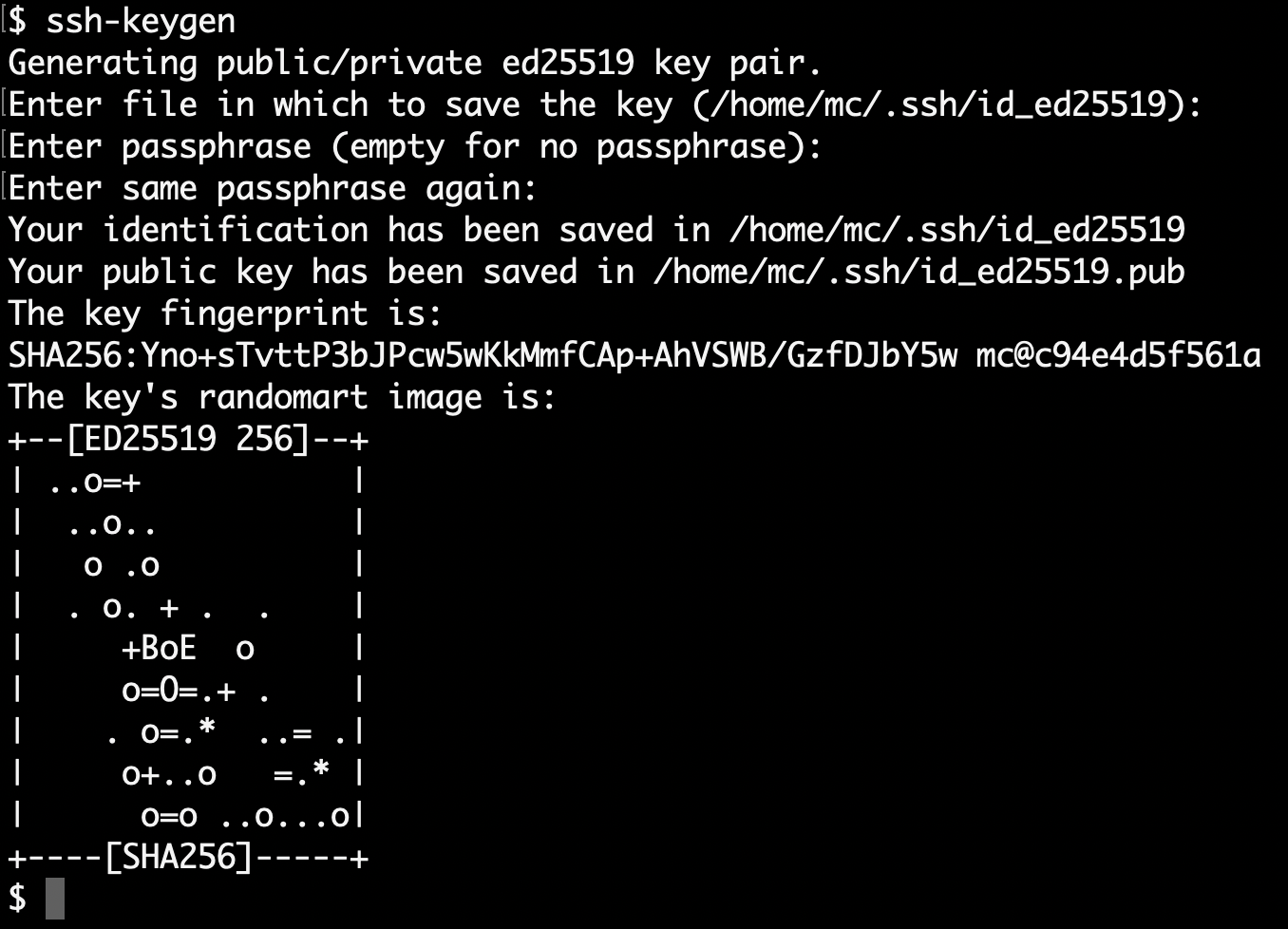
完成後,可至/home/username/.ssh下查看兩把key,並使用cat查看public key: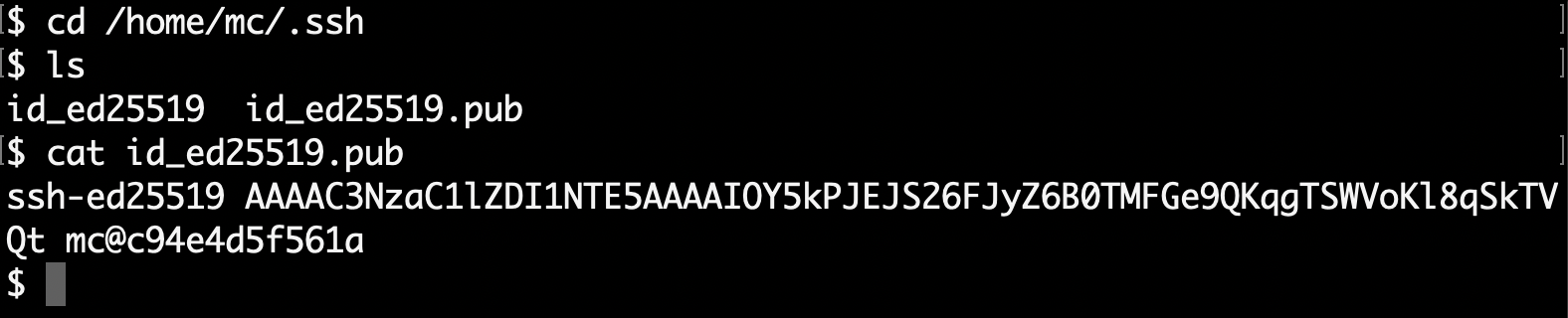
id_ed25519: secure keyid_ed25519.pub: public key
Notice:
id_ed25519.pub我們會在下一節 2.3. 使用ssh訪問GCP虛擬主機 時使用到。
使用ssh訪問GCP虛擬主機
在
Google Cloud Console/Compute Engine/VM執行個體下點選你的VM
點選
編緝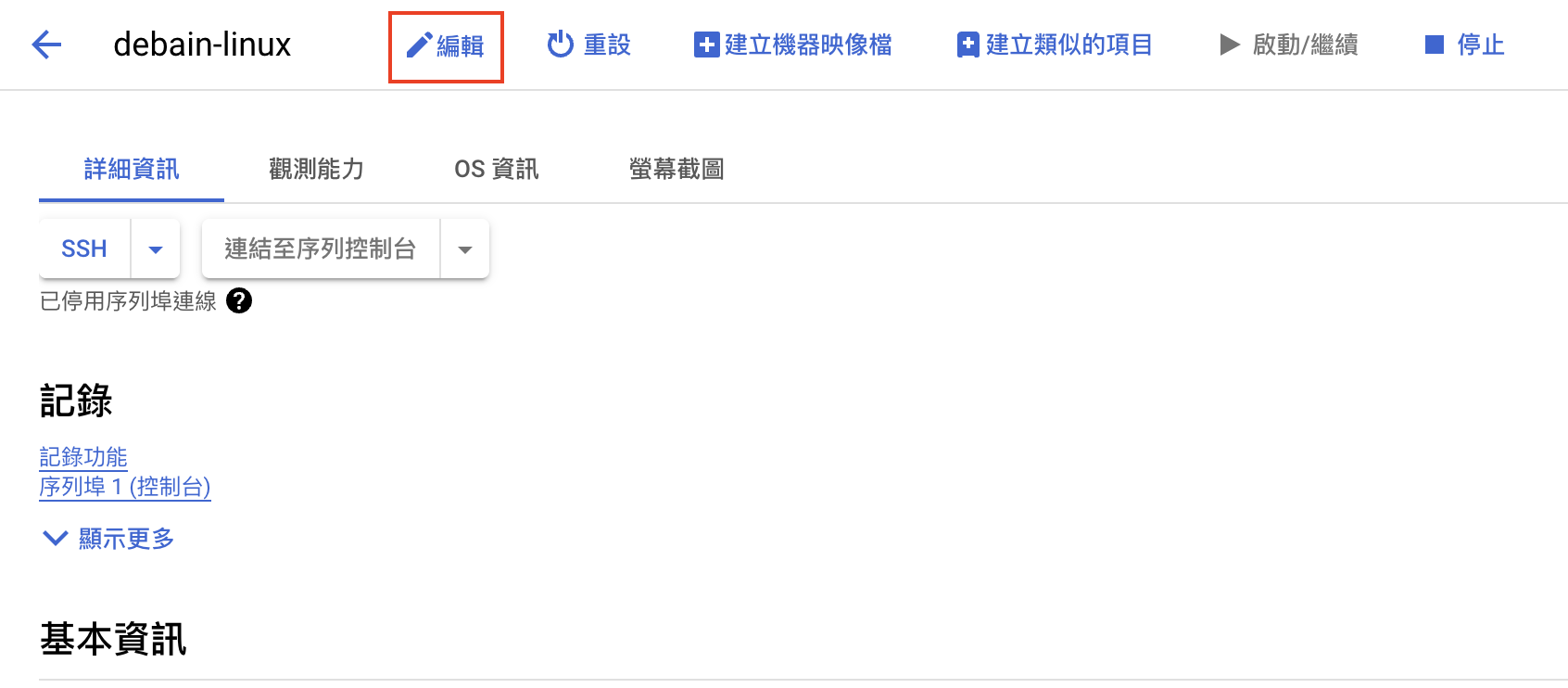
在
安全性與存取權/安全殼層金鑰點選+新增項目並輸入id_ed25519.pub,最後儲存。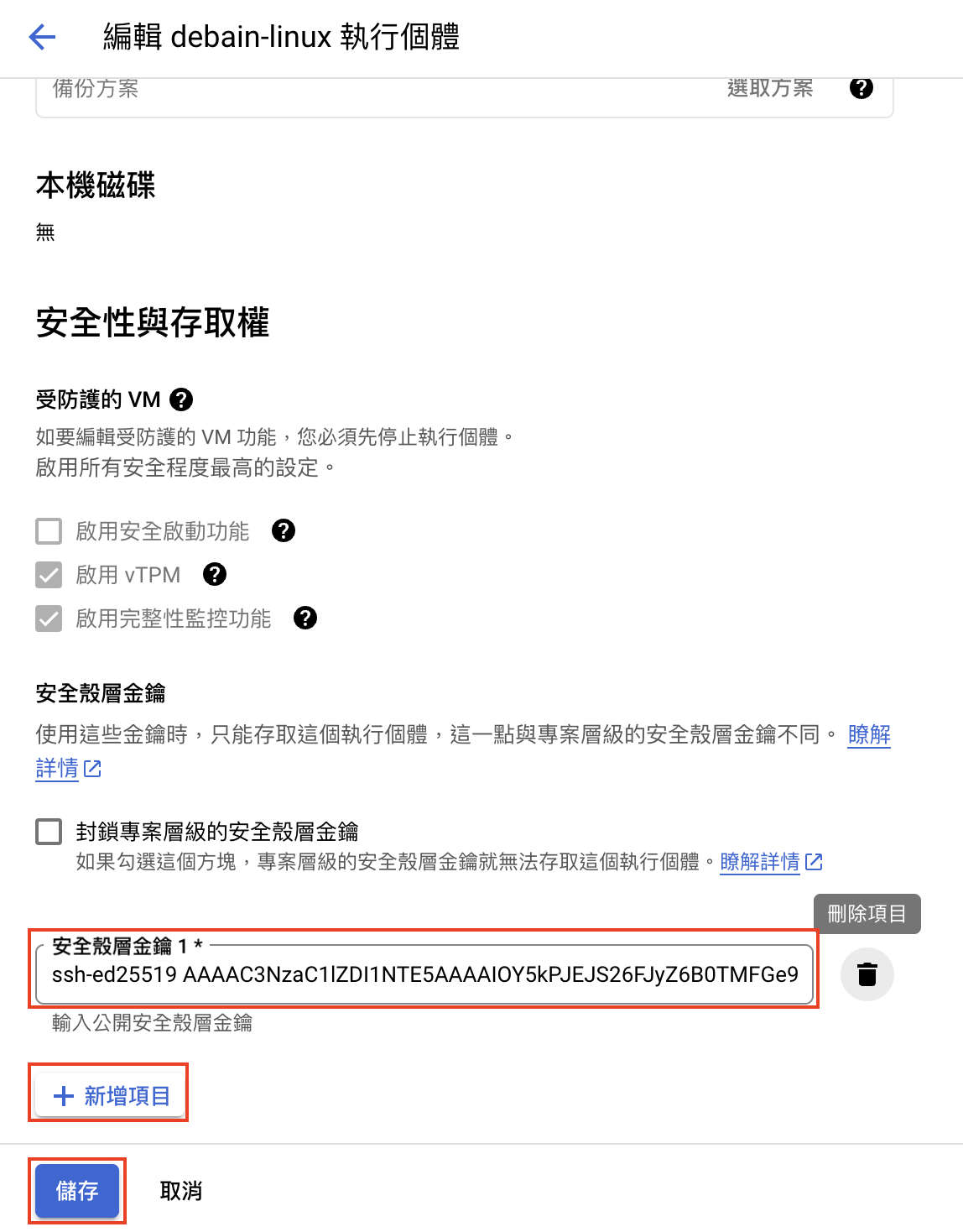
Notice:
id_ed25519.pub在 2.2. ssh-keygen 可查看。
回到Linux中,使用
ssh your_username@your_gcp_IP即可遠端登入gcp(首次登入會在.ssh中建立清單known_hosts)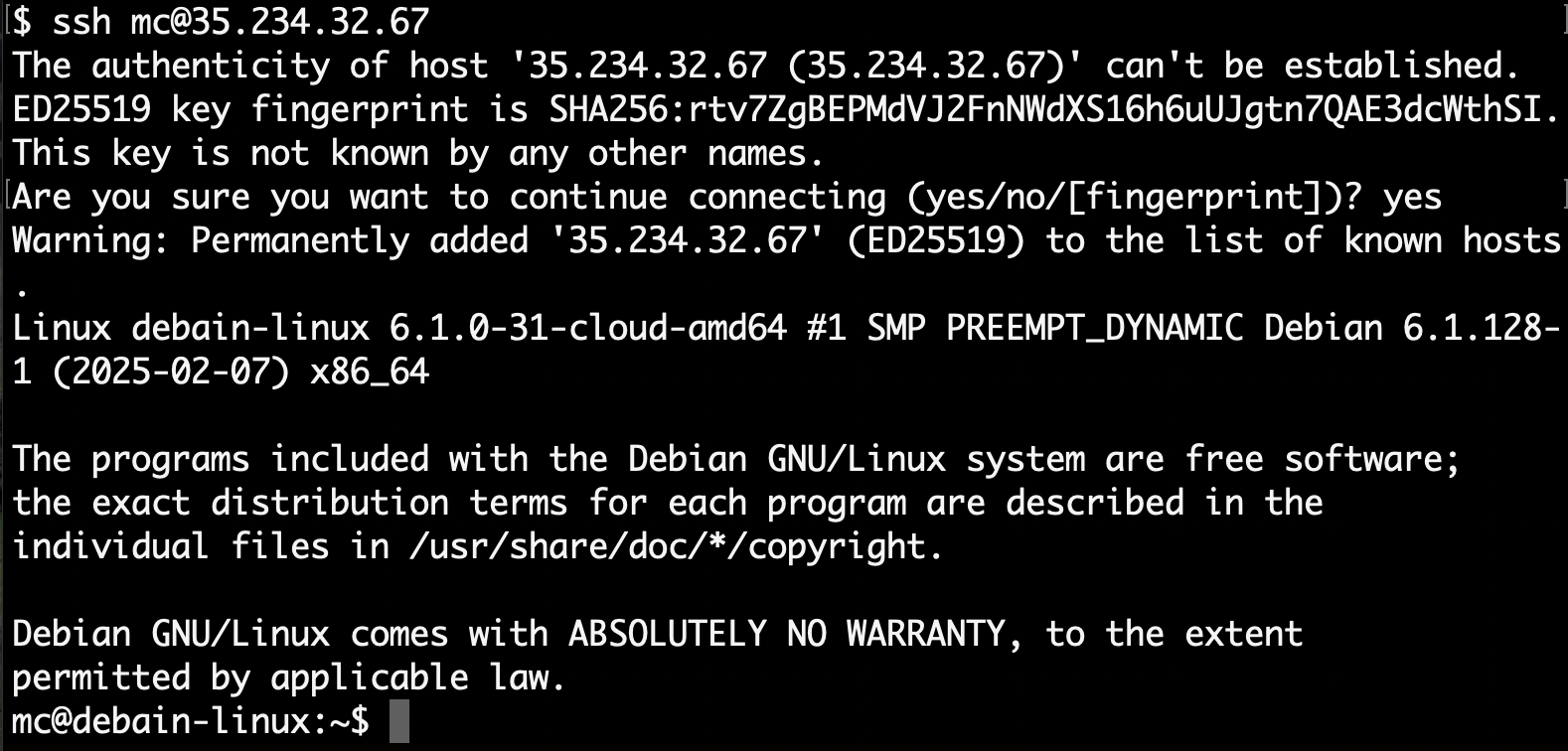
按Ctrl+D即可退出。
結論
- 使用ssh登入gcp